What earns windshield space?
AR navigation is compelling because it puts directions where drivers are already looking. The central design question is what to show, when to remove it, and how to evaluate whether it reduces workload or creates it.
Dashboard screens and phone maps create a secondary task: glance down, interpret, look back up, decide if the timing still applies. That attentional gap is where errors concentrate.
The project centered on DrivAR, a windshield-based AR HUD. The unresolved question was whether it could reduce navigation uncertainty without becoming another interface to manage at speed.
We had a working AR concept but no criteria for what guidance belonged on the windshield, how to prioritize it visually, or how to evaluate whether it helped beyond stated preference.
Define which cues deserved design priority, how they should sit in the visual hierarchy, and what evidence would separate useful guidance from attention cost.
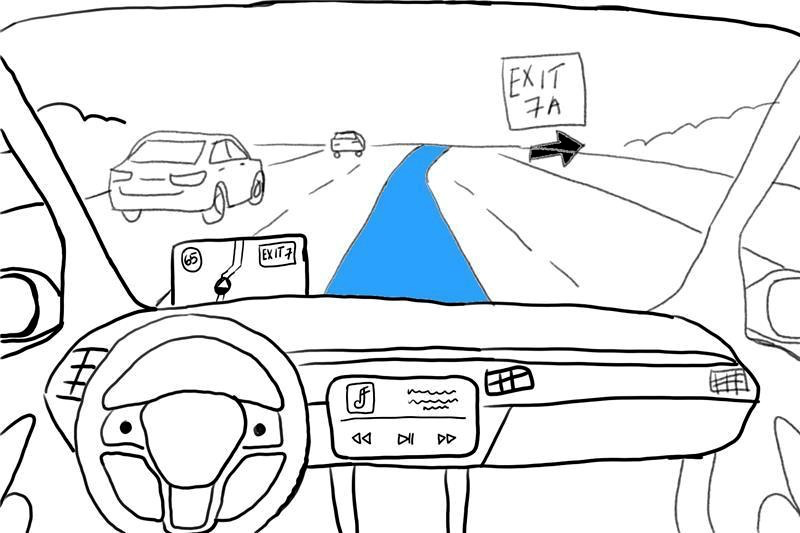
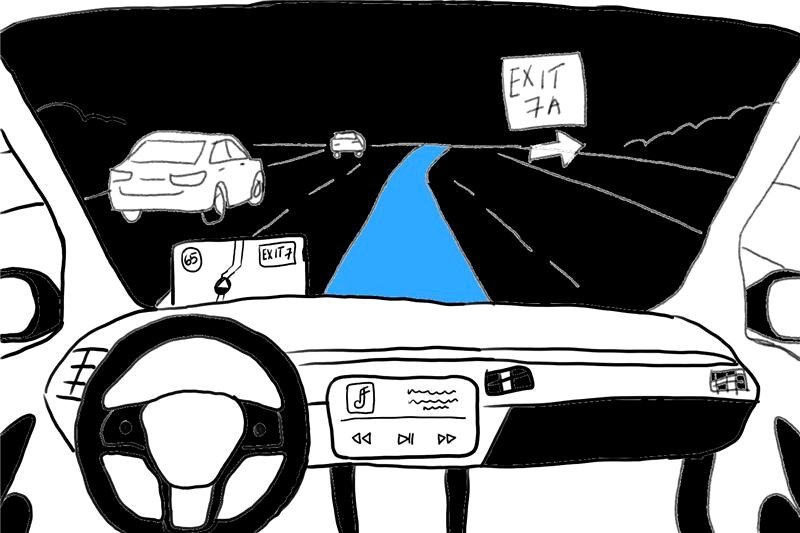
Helpful cues can add workload.
The design risk was overloading the driver. At a highway exit, the decision window is small. An overlay that asks drivers to parse too much does not just distract. It consumes the window.
AR can reduce glance-switching or add mental load, depending on what it asks drivers to parse. The right direction was the HUD that made the next driving decision clearer, not the most capable one.
Drivers were already naming where existing tools failed:
- 12 / 12
- used Google Maps as their primary navigation tool
- 11 / 12
- reported lane confusion as a source of driving uncertainty
- 10 / 12
- missed turns due to unclear instructions
Move from attitudes to behavior.
Each phase narrowed the next decision: refine the survey, size the problem, observe route behavior, then compare HUD directions.
-
Pretest the survey, n=2
Two cognitive interviews before distribution showed interpretation gaps. We revised Likert scales, tightened questions, and cut wording that blurred AR curiosity from actual navigation need.
-
Size the problem, n=12 complete responses
Established baselines on navigation frequency, route stress, AR familiarity, and distraction concerns. Sized the problem and identified the target population for follow-up.
-
Interview decision moments, n=8
Uncovered where drivers lose confidence: late prompts, reroutes that conflicted with decisions already in motion, instructions that were accurate but spatially wrong. Those decision moments defined what the HUD had to solve.
-
Observe driving behavior, n=5
BeamNG simulator with manually controlled AR overlays. Observed route decisions, hesitation, detours, and map-checking under controlled conditions. Two tasks: static map, then AR overlays.
-
Compare HUD directions, n=10
Two HUD directions: persistent windshield content versus focused route guidance. The question was not which looked better but which produced higher confidence and lower perceived risk while driving.
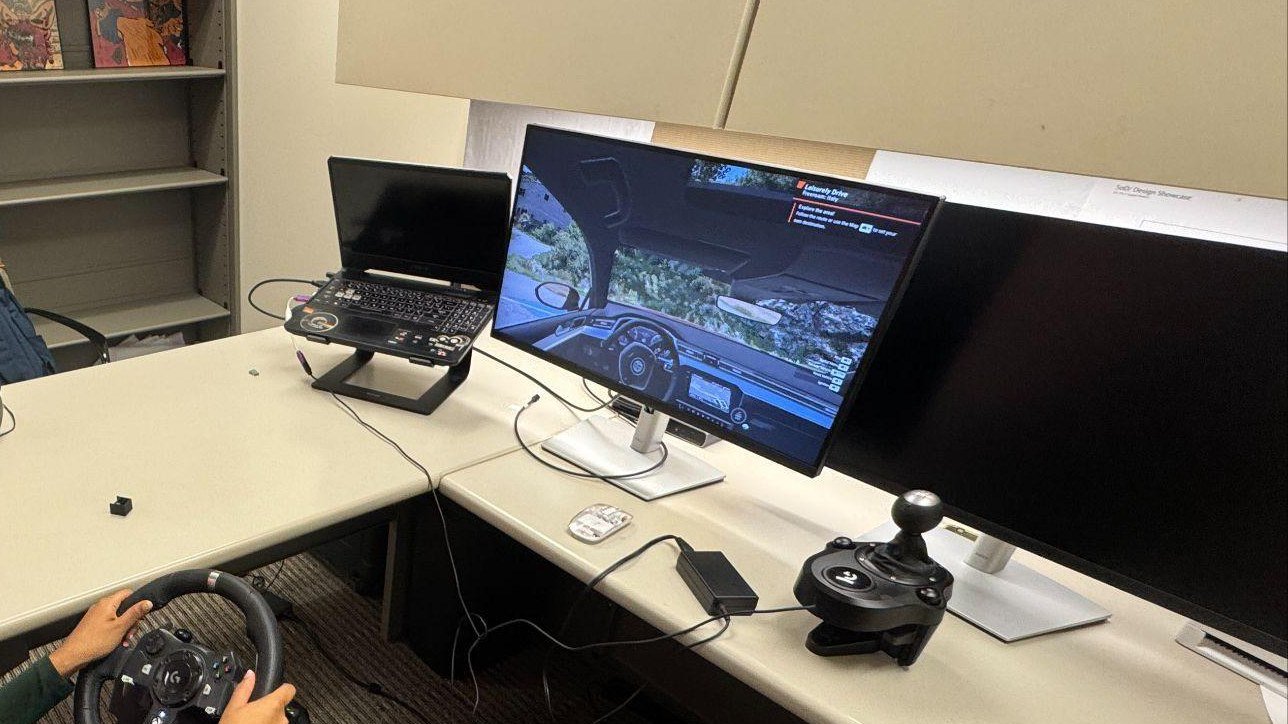
Route confidence was the signal.
None of the five participants completed the static-map route. All five completed the AR overlay route. Because the AR task came second, I treated it as directional, not conclusive. The sharper question became which cues helped drivers decide.
-
Timing and confidence drove the problem
Missed turns from late prompts, lane uncertainty at exits, stress from conflicting cues. AR had value when it resolved second-guessing before the decision point. The risk was adding visual complexity at the exact moment the driver needed clarity.
-
Drivers set the evidence bar
Participants benchmarked the concept against Google Maps, Apple Maps, and CarPlay. That set the evidence bar: the HUD did not need to be more capable than those tools. It needed to be easier to read under load.
-
Recovery actions mattered more than task time
Task completion split 0/5 to 5/5. Task time varied, so I used recovery actions as the clearer signal: the static-map task produced 13 detours, 64 map checks, and 7 moderator requests. With AR overlays, all three dropped to zero.
-
Four cues earned priority
Lane guidance, turn arrows, speed limits, and rare hazard alerts appeared consistently across phases. Persistent overlays, fuel levels, messages, and non-driving content were out of scope.
Simulator Evidence
Recovery actions dropped to zero
Detours, map checks, and moderator requests are recovery actions. Task time varied. Whether they happened at all was the clearer signal.
Decision signal: zero detours, zero map checks, zero moderator map requests. That became the evidence bar. Measure workload and confidence, not task time alone.
Use the HUD to reduce workload.
The research produced a constraint, not a cue list. Windshield content had to reduce mental effort at the decision point. Anything outside that purpose should recede or be removed.
-
Lane and turn guidance come first
Lane choice, turns, exits, and route changes belong on the windshield. Other information competes with them.
-
Secondary information stays quiet
Speed and arrival context belong lower in the visual hierarchy. They should not compete with primary guidance cues.
-
Hazard alerts are for behavior changes only
Only show a hazard alert if it changes what the driver does. Frequent alerts train drivers to ignore the system. Keep alerts rare, specific, and timely enough to act on.
-
Keep the windshield focused on the road
Voice and automation fit the driving context. Touch, gesture, messages, and productivity content do not. Any cue or interaction expanding this boundary needs separate justification.
-
Evaluate by workload, not preference
The next study should measure confidence, glance frequency, hesitation, detours, task errors, and perceived distraction. Preferring a HUD and safely using one are different outcomes.
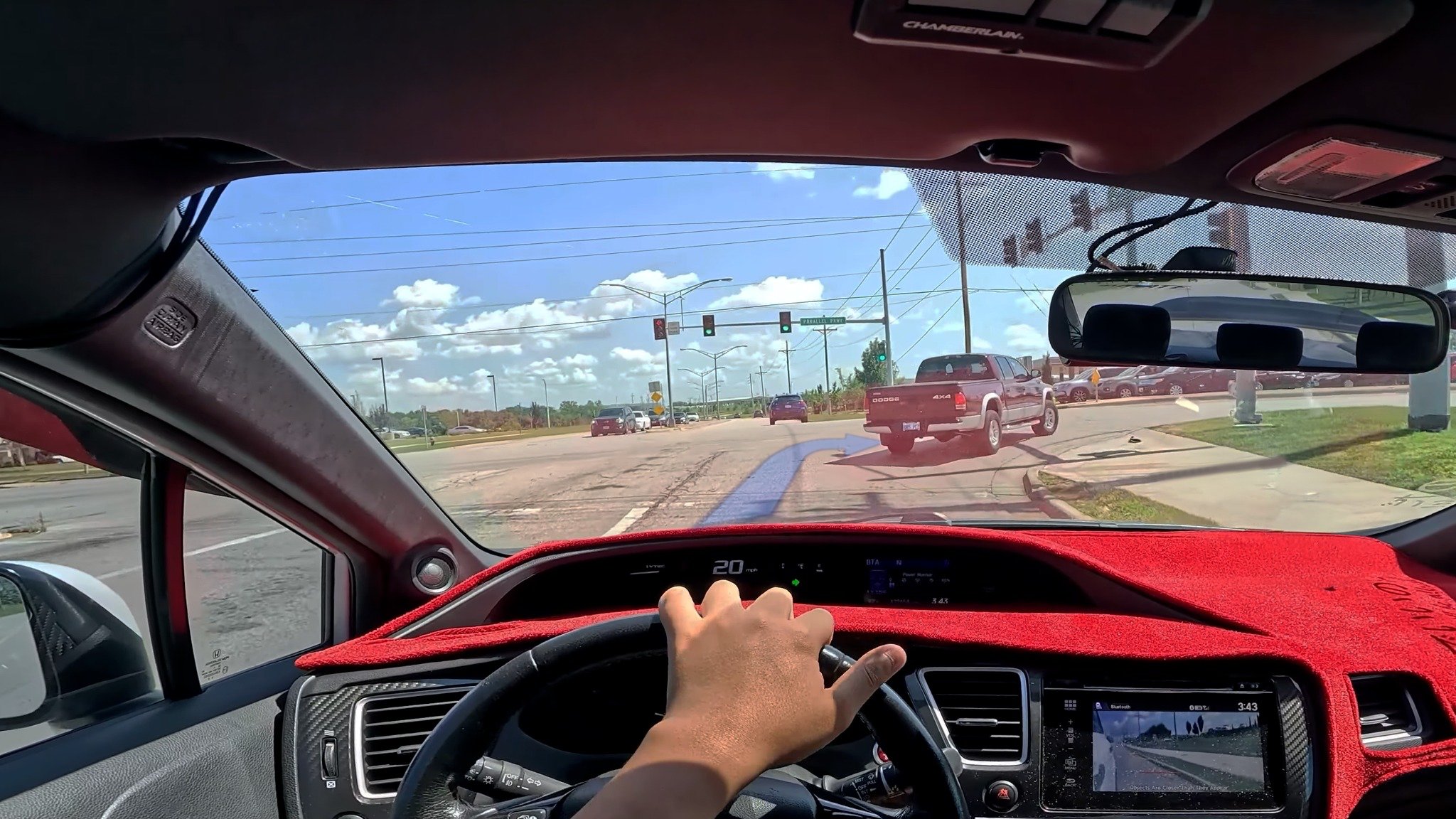
Decision Impact
Evidence narrowed the HUD criteria.
Lane guidance, turns, speed, and rare hazard alerts earned windshield space. The next prototype is evaluated by workload and confidence, not demo appeal.
It shifted the evidence question. The bar for AR on a windshield is not capability. It is whether it reduces mental effort at the moment the driver needs to decide.
Lane and turn guidance at the top of the hierarchy. Speed and hazard cues secondary. Persistent overlays, map clutter, and non-driving content removed entirely.
Fewer detours, less hesitation, lower perceived workload, higher confidence. Preference ratings alone are not sufficient evidence. A driver can prefer a HUD and still be distracted by it.
The strongest output was constraint.
Novelty and utility are different questions
AR can be compelling in prototypes. The critical test is whether it reduces mental effort under real conditions. Keeping that distinction front of mind kept the team from chasing demo appeal.
Behavioral measures need harder conditions
The simulator captured route decisions and recovery actions, but not performance under real pressure. The completion gap was a strong signal, not a readiness decision. The next study should add gaze tracking, a standard workload scale, and route complexity variation.
The boundary mattered more than the interface
The strongest finding was not that AR looked promising. It was that only a narrow set of cues earned windshield space. The next round should test where that boundary breaks under harder route conditions.